ComputePublished Lead storyThat day's edition
How spend caps work on AWS and Google Cloud
AWS is releasing monthly spend limits to a limited number of customers and Google Cloud's Spend Caps are in public preview; each stops usage at a set amount, under different rules.
Check our sources · 3 sources, 16 claims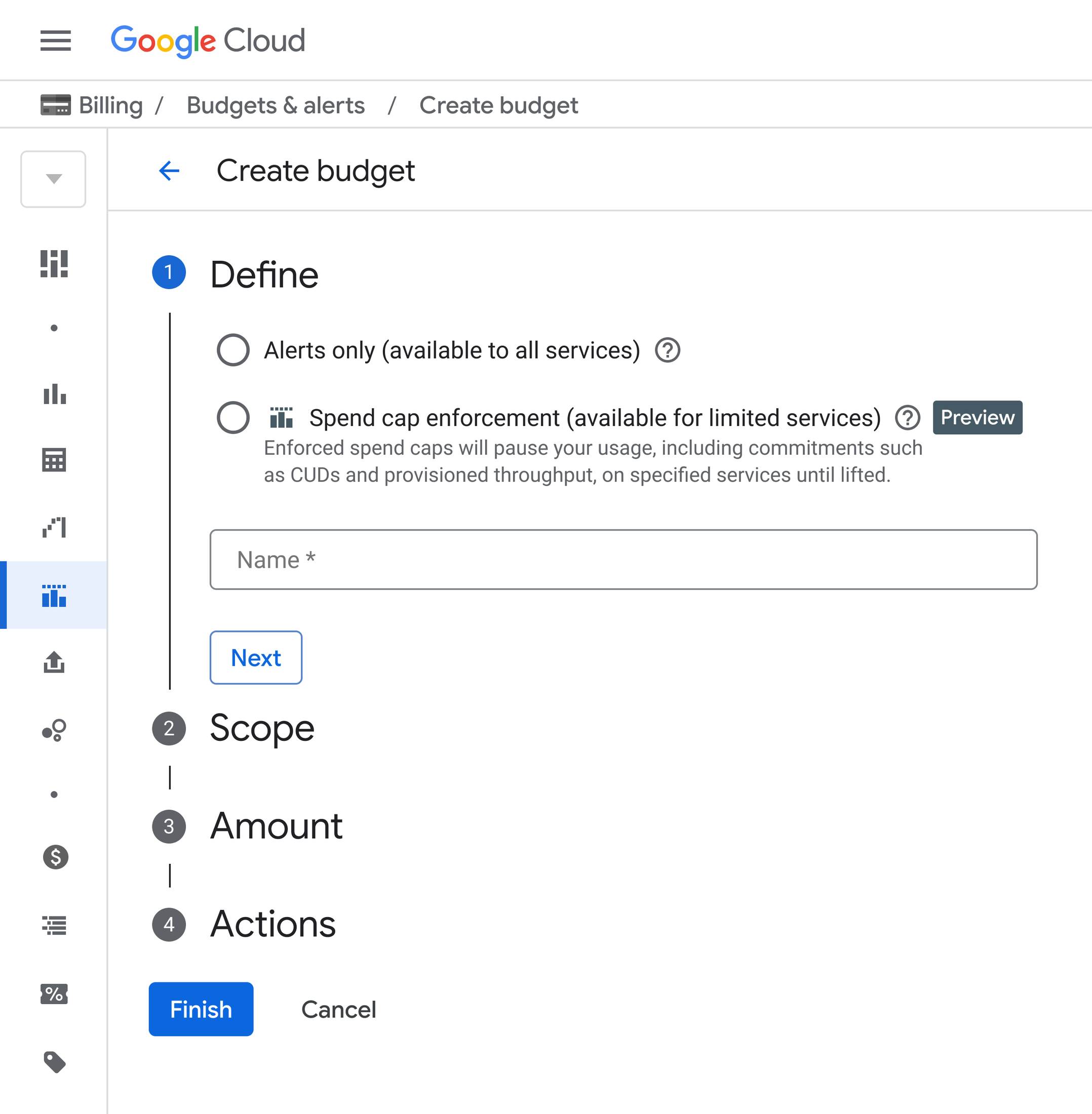 Image: Google Cloud
Key points
- AWS is releasing monthly project spend limits to a limited number of customers; at the limit it pauses the project and keeps data, deleting it after 90 days without action.
- Google Cloud's Spend Caps, introduced 29 July and in public preview, apply to a single project and service and cover Gemini API, Agent Platform, Cloud Run and Cloud Run Functions.
- Google says caps on AI services trigger within minutes and are non-destructive, but fixed commitment fees such as Committed Use Discounts or Provisioned Throughput keep billing at their flat rate.
What happened
AWS and Google Cloud each describe a monthly limit that stops usage when it is reached, but neither is generally available: AWS says it is releasing its experience to a limited number of customers, and Google's spend caps are in public preview.
On 16 September 2026 AWS said builders can set a monthly spend limit for a project, and that if the project's usage reaches the limit, "your project is paused for that month".
AWS's documentation describes a spend limit as "the most you'll pay per month for a project", set per project, so some projects can have one and others none, up to 10 projects. The minimum is "the greater of $20 or a conservative estimate of your likely spend", and limits exclude credits and apply to pre-tax charges.
AWS notifies you when costs reach 50%, 75% and 90% of the limit, or are on track to exceed it within 10 days.
Three optional controls act earlier: about 7 days before the limit new resources stop launching, about 5 days before it idle resources are paused, and about 4 days before it the highest-cost active resources are paused, drawn from EC2, RDS, Lambda, Bedrock and SageMaker.
When the limit is reached, "AWS pauses your project and stops all resources. Your data is preserved.", and raising the limit reactivates it; if nothing is done within 90 days, AWS permanently deletes the project's data. A spend limit needs a Paid Plan.
On 29 July 2026 Google Cloud introduced Spend Caps on Budgets, which set a monthly cap on a specific service within a project and, once reached, restrict further cost-incurring usage for that service.
Google says caps for AI services trigger within minutes of the threshold, are non-destructive, and that fixed commitment fees such as Committed Use Discounts or Provisioned Throughput keep billing at their flat rate.
In Google's public preview a cap applies to a single project and service for a fixed monthly timeframe, covers Gemini API, Agent Platform, Cloud Run and Cloud Run Functions, and stays in place until someone lifts it in the Budgets UI with one click.
What it means for you
Our viewNeither control is generally available, so test them on a non-critical project before relying on them. AWS caps a whole project and pauses it, with optional early controls about 7, 5 and 4 days before the limit; Google caps one service in one project and says it deletes nothing.
Google's fixed commitment fees keep billing, and AWS limits exclude credits and apply to pre-tax charges. AWS deletes a paused project's data after 90 days without action, so a cap needs someone who answers its alerts.
If you run AI workloads on either cloud, check whether you can join the AWS release or the Google preview, and list which charges a cap would not cover.
This part is our reading of the facts above. It adds no fact of its own.
Your reaction
One press adds one. We count a number for each notice and day, never who pressed it. The counts help us decide what goes in the monthly issue. If you are signed in to My notis, your own page counts yours too.
Check our sources
3 sources, 16 claims. We opened each source and checked every sentence above against it.
1 New AWS Builder Experience
Open the source-
AWS said on 16 September 2026: "you can set a monthly spend limit for your project based on your usage patterns so that you stay within your budget. If a project's usage reaches its spend limit, your project is paused for that month."
When you're ready to upgrade to a paid plan, you can set a monthly spend limit for your project based on your usage patterns so that you stay within your budget. If a project's usage reaches its spend limit, your project is paused for that month.
-
The AWS post of 16 September 2026 says "you can connect your coding agent to AWS with a single prompt that automatically installs the AWS CLI and the Agent Toolkit for AWS".
Once signup is complete, you can connect your coding agent to AWS with a single prompt that automatically installs the AWS CLI and the Agent Toolkit for AWS
2 Create a spend limit in AWS Settings
Open the source-
AWS documentation: "Use a spend limit to set the most you'll pay per month for a project. Spend limits are at the project level. You can have spend limits on some of your projects and have other projects without spend limits."
Use a spend limit to set the most you'll pay per month for a project. Spend limits are at the project level. You can have spend limits on some of your projects and have other projects without spend limits.
-
AWS documentation: "You can apply spend limits to up to 10 projects."
You can apply spend limits to up to 10 projects.
-
AWS documentation: "the minimum allowed value is the greater of $20 or a conservative estimate of your likely spend."
When you set a spend limit, the minimum allowed value is the greater of $20 or a conservative estimate of your likely spend.
-
AWS documentation: "Spend limits exclude credits and apply to pre-tax charges."
Spend limits exclude credits and apply to pre-tax charges.
-
AWS documentation: "You'll receive notifications when actual costs reach 50%, 75%, and 90% of your limit, or when you are on track to reach or exceed your spend limit in the next 10 days."
You'll receive notifications when actual costs reach 50%, 75%, and 90% of your limit, or when you are on track to reach or exceed your spend limit in the next 10 days.
-
AWS documentation: about 7 days before you would reach your limit, new resources stop launching; about 5 days before, idle resources are paused; about 4 days before, your highest cost incurring active resources are paused, selected from EC2, RDS, Lambda, Bedrock, and SageMaker. These are optional early cost controls.
About 7 days before you would reach your limit, new resources stop launching. ... About 5 days before you would reach your limit, idle resources are paused. ... About 4 days before you would reach your limit, your highest cost incurring active resources are paused. ... we select the resources from these five services: EC2, RDS, Lambda, Bedrock, and SageMaker.
-
AWS documentation: "AWS pauses your project and stops all resources. Your data is preserved." and "To reactivate your project, increase your spend limit from AWS Settings."
AWS pauses your project and stops all resources. Your data is preserved. To reactivate your project, increase your spend limit from AWS Settings.
-
AWS documentation: "If you take no action within 90 days of your project being paused, AWS permanently deletes your project data."
If you take no action within 90 days of your project being paused, AWS permanently deletes your project data.
-
AWS documentation: "We're currently releasing our new experience to a limited number of customers." and "You must be on a Paid Plan to create a spend limit."
We're currently releasing our new experience to a limited number of customers. ... You must be on a Paid Plan to create a spend limit.
3 New early anomalies and spend caps on Google Cloud Budgets
Open the source-
Google Cloud's post, dated July 29, 2026, says "Spend Caps is a new, native feature on Google Cloud Budgets that empowers you to set a monthly financial cap on specific services within a project. When accumulated spend reaches your defined cap, the system automatically restricts further cost-incurring usage for that specific service within that project."
July 29, 2026 ... Spend Caps is a new, native feature on Google Cloud Budgets that empowers you to set a monthly financial cap on specific services within a project. When accumulated spend reaches your defined cap, the system automatically restricts further cost-incurring usage for that specific service within that project.
-
Google Cloud says "Spend Caps for AI services trigger within minutes of hitting your defined threshold." and "It is non-destructive i.e your data and resources are not deleted, and services outside the scope of the budget are entirely unaffected."
Spend Caps for AI services trigger within minutes of hitting your defined threshold. ... It is non-destructive i.e your data and resources are not deleted, and services outside the scope of the budget are entirely unaffected.
-
Google Cloud says "any underlying fixed commitment fees (such as Committed Use Discounts or Provisioned Throughput) will continue to bill at their flat contractual rate."
any underlying fixed commitment fees (such as Committed Use Discounts or Provisioned Throughput) will continue to bill at their flat contractual rate.
-
Google Cloud says "During this Public Preview, you can apply Spend Caps to a single project and service for a fixed monthly timeframe." Supported services listed: Gemini API, Agent Platform, Cloud Run, Cloud Run Functions.
During this Public Preview, you can apply Spend Caps to a single project and service for a fixed monthly timeframe. ... Step 2: Enforce Spend Caps on Budgets ... Gemini API, Agent Platform, Cloud Run, Cloud Run Functions
-
Google Cloud says "if a Spend Cap is triggered, the usage block remains in place until it is manually lifted from the Google Cloud Budgets UI with a single click."
if a Spend Cap is triggered, the usage block remains in place until it is manually lifted from the Google Cloud Budgets UI with a single click.
Nothing appears on this site that we have not opened and linked.
Filed under
The morning email
The day's three lead stories with what they mean for you, and up to four quick hits, each morning when the day's edition comes out, usually soon after 07:00 Oslo time. Free.
We email you a link to confirm. An issue may include one sponsor, always labelled Sponsored · Advertisement. Our emails count opens and clicks, not linked to you. Unsubscribe in one click. What we keep